Your WordPress site looks completely normal to you.
Homepage loads. Blog posts are there. Contact form works fine.
But right now — as you read this — visitors arriving from Google on their phones are being silently redirected to a spam site. Your domain has been flagged in Google’s Safe Browsing database. And 43 pages of pharmaceutical spam have been quietly indexed under your URL — ranking for keywords you never wrote.
This is what a wordpress site hacked scenario actually looks like in 2026. Not a dramatic defacement. Not a screaming error. Just silent, invisible damage — happening while you have no idea.
This guide covers every real sign that your wordpress site hacked situation, the exact recovery steps in the right order, and how to lock things down so it never happens again.
Why WordPress Sites Get Hacked
Here is the uncomfortable truth about a WordPress site hacked situation: it almost never happens because someone is specifically targeting you. Nobody sat down and decided to attack your blog or business site personally.
What actually happens is automated. Bots scan millions of WordPress sites every single hour, looking for three things: outdated plugins with known vulnerabilities, weak admin passwords, and default usernames like “admin.” When a bot finds an open door, it walks through — automatically, instantly, without any human involvement.
WordPress powers 43% of the entire internet. That dominance makes it the most targeted platform in existence — not because it is insecure by design, but because the sheer number of sites means even a small percentage of unpatched installs represents millions of potential targets.
| Entry Point | How Common | What Hackers Do With It |
|---|---|---|
| 🔴 Outdated plugin with known vulnerability | Most common — 60%+ of hacks | Inject malware, create backdoors, add admin accounts |
| 🟠 Weak or reused admin password | Very common | Full admin access — can do anything on your site |
| 🟡 Default “admin” username | Common | Brute force attack target — first thing bots try |
| 🟡 Outdated WordPress core | Common | Exploit known security patches not yet applied |
| 🟢 Nulled themes or plugins | Frequent | Come pre-loaded with backdoors and malware |
| 🔵 Insecure hosting environment | Less common | Cross-site contamination on shared hosting |
7 Signs Your WordPress Site Has Been Hacked
Most hacked WordPress sites show at least one of these signs before the damage becomes catastrophic. The earlier you catch them, the faster and cheaper the recovery.
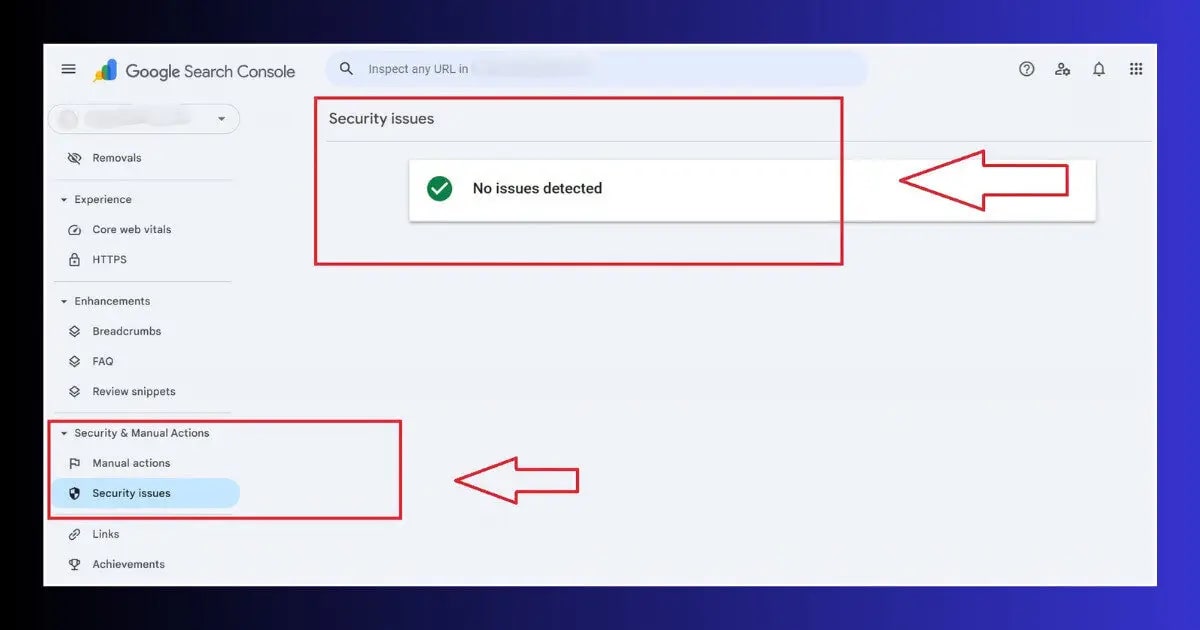
🔴 Google Security Alert in GSC
Google Search Console → Security Issues shows a warning. Google detects malware days before most site owners notice anything manually.
🔴 Browser Red Warning Screen
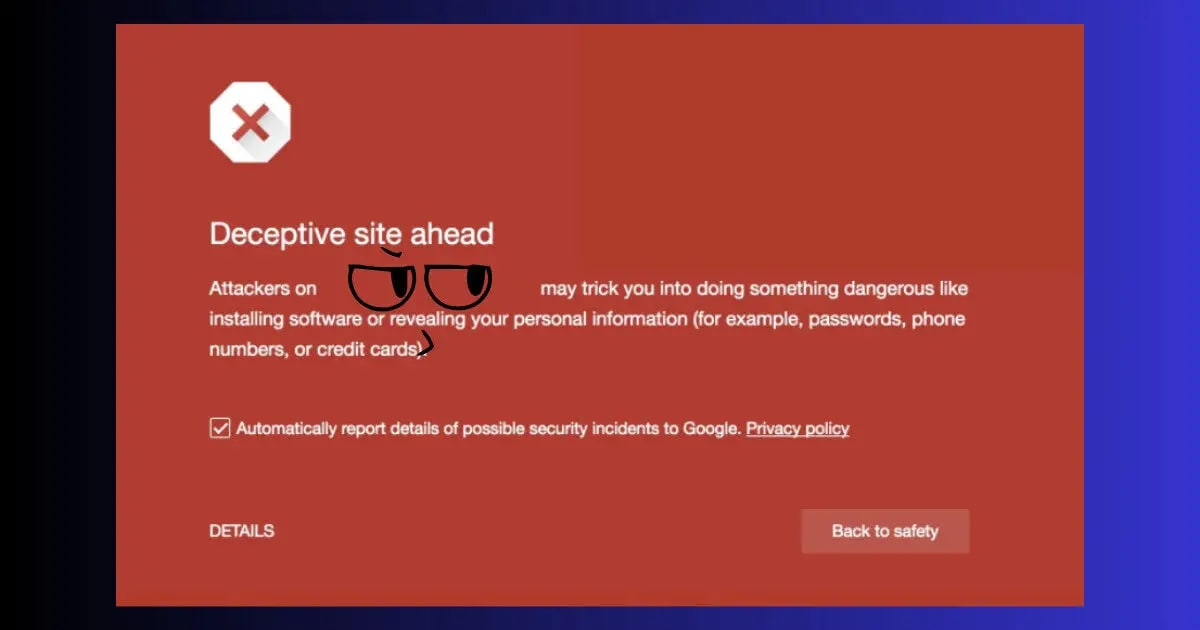
Visitors see “Deceptive site ahead” in Chrome or Firefox. This means Google’s Safe Browsing has flagged your domain — active visitors are being warned away.
🔴 Site Redirecting on Mobile
The most invisible hack — you see your site normally on desktop, but mobile visitors from Google get redirected to spam. Engineered specifically so you never notice.
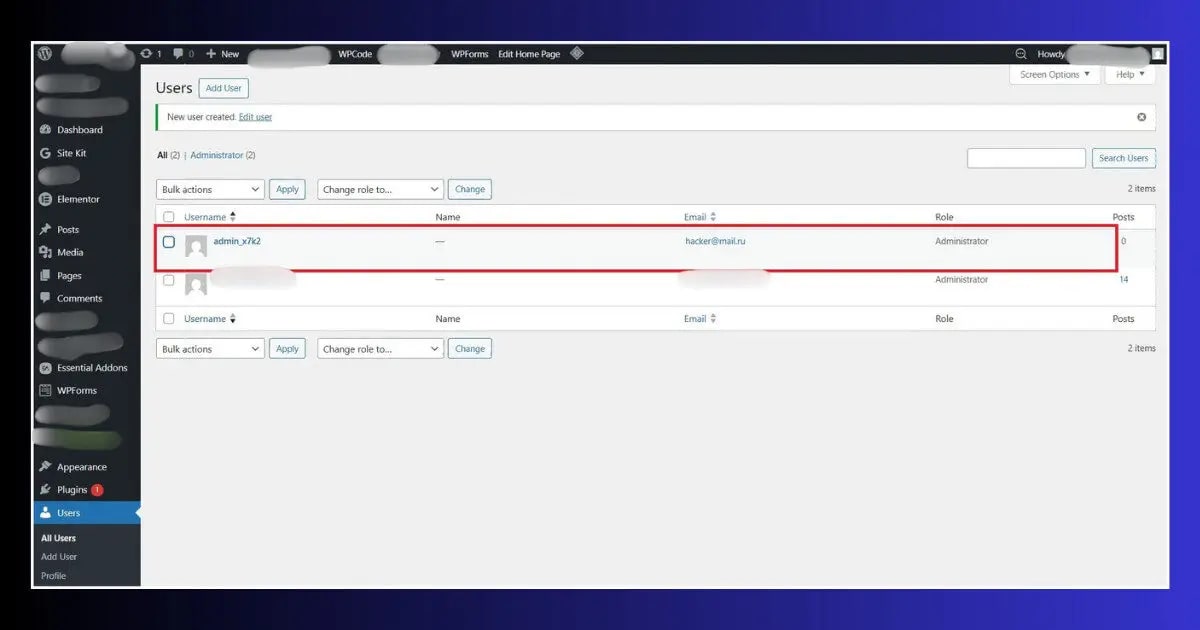
🟡 Unknown Admin Accounts
WordPress → Users → All Users shows accounts you never created. A confirmed sign of unauthorized access — remove immediately and change all passwords.
🟡 Spam Pages in Google Results
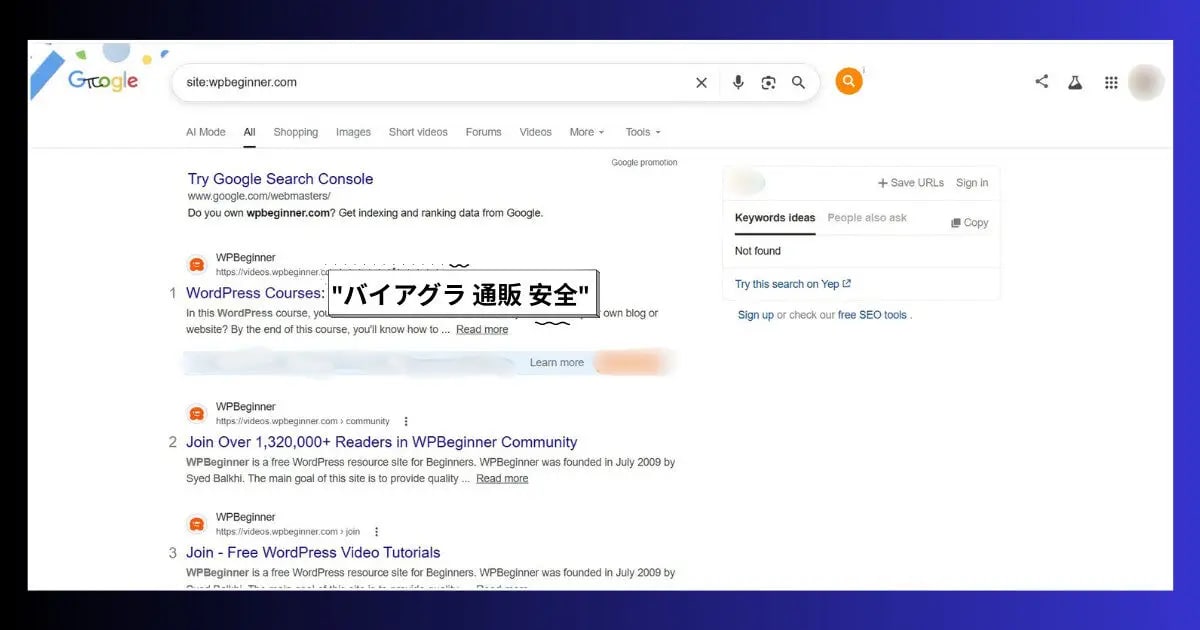
Search site:yourdomain.com on Google. If you see Japanese characters, pharmaceutical keywords, or pages you never published — SEO spam has been injected.
🟡 Hosting Account Suspended
Hosting providers scan for malware automatically. A sudden suspension notice citing malware or ToS violations is usually a confirmed hack, not a billing issue.
🔵 Unexplained Speed Drop
Malicious scripts injected into your site’s header consume server resources. A sudden, unexplained PageSpeed decline is worth treating as a potential security event.
The 4 Most Common Types of WordPress Hacks in 2026
1. The Conditional Redirect Hack
The most dangerous type because it is designed specifically to be invisible to you. When your WordPress site is hacked this way, the injected code checks who is visiting. If it detects the site owner’s IP, a logged-in admin, or a direct browser visit — it shows your normal site. If it detects a mobile visitor arriving from Google — it redirects them to a pharmacy spam site, adult content, or gambling page.
You can check for this by visiting your site using your mobile phone’s data connection while not logged into WordPress — or by asking someone in a different city to check your URL.
2. SEO Spam Injection (Japanese Keyword Hack)
Hackers inject thousands of hidden pages onto your domain — filled with pharmaceutical keywords, Japanese text, or gambling content. These pages rank in Google using your domain’s authority, sending traffic to their sites while your domain gets associated with spam content and eventually penalized.
Check for this by searching: site:yourdomain.com viagra or site:yourdomain.com casino on Google. Any results = confirmed SEO spam injection.
3. Admin Account Takeover
A brute force attack or stolen password gives the hacker full WordPress admin access. They create new administrator accounts, change your password to lock you out, install malicious plugins, and modify theme files. This is the most comprehensive type of compromise — everything on your site can be modified or stolen.
4. Backdoor Installation
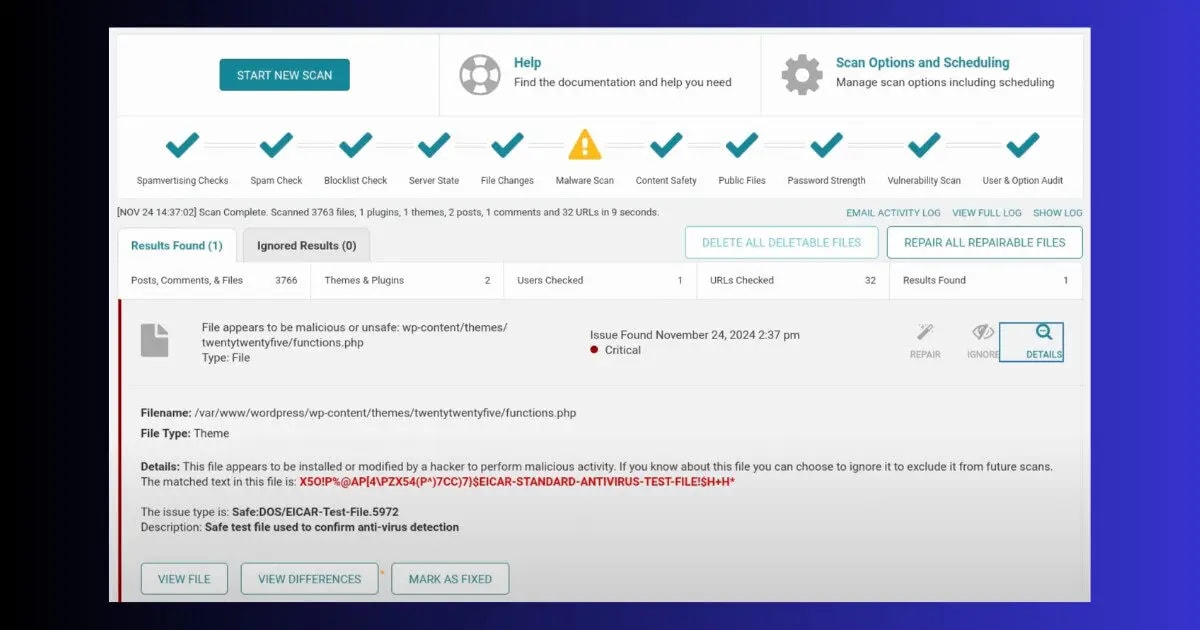
Even after you clean a hacked WordPress site, hackers often leave hidden backdoor files — small PHP files with names like wp-config-backup.php or buried inside /wp-content/uploads/ — that let them regain access anytime. This is why cleaning a hack without a proper malware scanner often results in re-infection within days.
How to Fix a WordPress Site Hacked — Step by Step Recovery
When a wordpress site hacked incident happens, the order of your recovery actions matters as much as the actions themselves. Do these in sequence — skipping steps or doing them out of order dramatically increases the risk of re-infection.
ToolXray Free WordPress Technical Audit
After recovering from a hack — confirm no injected scripts remain. Core Web Vitals, PageSpeed, TTFB, 80+ checks. Free, no signup.
How a WordPress Site Hacked Situation Damages Your SEO
The security damage when a wordpress site hacked incident occurs is immediate. The SEO damage accumulates over weeks and takes months to fully recover — which is why speed of detection and response is everything.
- Google deindexing: Sites flagged for malware or hacking can be removed from Google’s index entirely. Recovery requires a manual review process that takes days to weeks even after the site is clean.
- Ranking drops from spam pages: SEO spam injection creates hundreds or thousands of low-quality pages under your domain. Google’s quality signals for your entire domain deteriorate, pulling down rankings for your legitimate pages.
- Backlink value destroyed: If important pages are taken down or redirected during the hack, all backlinks pointing to those URLs deliver zero value until properly restored and redirected.
- Bounce rate spike: Visitors who land on a hacked or redirected page leave immediately. A sudden bounce rate increase sends negative engagement signals to Google.
- Core Web Vitals decline: Injected malware scripts load external resources — cryptocurrency miners, redirect trackers, ad injectors — that slow your site significantly and tank your LCP and INP scores.
How to Prevent your wordpress site from getting hacked
Every item below is free or low-cost. Together they eliminate 95% of the attack vectors that lead to a wordpress site hacked.
Auto-Update Everything
Enable automatic updates for WordPress core, plugins, and themes. The window between a vulnerability being published and bots exploiting it is often under 24 hours — manual updates are too slow.
Change Default “admin” Username
If your username is “admin” — create a new administrator account with a different username, move all content to it, and delete the admin account. Brute force bots always try “admin” first.
Two-Factor Authentication
Wordfence free plugin includes 2FA for WordPress login. Even with your password compromised, a hacker cannot log in without the second factor. Enable it on every admin account.
Daily Automated Backups
UpdraftPlus free tier backs up your entire site to Google Drive daily. Configure it once, test the restore once. Without backups, a hack is not just a security incident — it is a potential business ending event.
Delete Inactive Plugins & Themes
Every inactive plugin and theme is a potential vulnerability — even if it is not activated. Delete anything you are not actively using. Do not just deactivate — delete entirely.
Weekly GSC Check
Google Search Console → Security Issues — check weekly. Google often detects a WordPress site being hacked days before visible symptoms appear. Catching it in 24 hours vs. 3 weeks makes an enormous difference to recovery time and SEO damage.
Free Alternative to Ahrefs & SEMrush
Paying $99/month for SEO tools is not necessary for most site owners. ToolXray gives you technical audits, Core Web Vitals, PageSpeed, LCP, TTFB and 80+ checks — completely free, no signup needed.
Read Full Comparison →Secure Hosting = Fewer Hacks
Hostinger includes free daily backups, malware scanner, and Cloudflare protection on all plans — the security layer most shared hosts charge extra for.
Try Hostinger Free for 30 Days →The Bottom Line
A wordpress site hacked situation is not a rare disaster that only happens to careless site owners. It happens to well-run sites, professionally maintained sites, and sites that just happened to have one outdated plugin at the wrong moment.
What separates a 2-hour recovery from a 2-month nightmare is almost always preparation — daily backups, updated software, and weekly GSC checks. With those three things in place, even a serious hack becomes a recoverable incident rather than a permanent loss.
Check GSC now — if your wordpress site hacked alarm goes off, act immediately. Look at your user list. Confirm your plugins are up to date. If everything is clean — spend 30 minutes setting up the preventions above. If something looks wrong — follow the recovery steps in order and act fast.
🔍 Free WordPress Technical Audit
Check for injected scripts, speed issues, Core Web Vitals and 80+ technical signals — free, no signup
Run Free Audit →Related Articles
WordPress White Screen of Death
Blank white page after a hack or bad update? 9 proven fixes — no coding required.
Fix INP in WordPress
Injected scripts killed your INP score? Exact fixes to restore interaction performance.
Complete Technical SEO Audit
Post-hack recovery audit — crawlability, indexing, performance and 80+ signals.
Free Alternative to Ahrefs
Monitor your site’s recovery with free SEO tools — no $99/month subscription needed.